Disclaimer

How to word is a free Microsoft word tutorial. Microsoft is the registered trademark of Microsoft Company, which is not affiliated with and does not sponsor or endorse the services of howto-word.com.

Showing posts with label microsoft ribbon. Show all posts

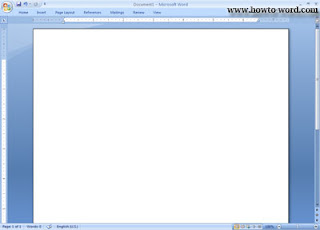
What is the ribbon in Word 2007

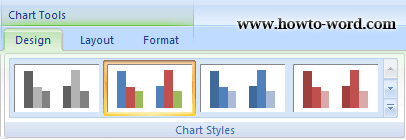
The Ribbon is a group of commands that helping you more convenience to complete a task than the previous version of Word 2007. Each command is organized in logical groups under a tab. Each tab relates to a type of activity. To reduce clutter show on your page, Word 2007 will show some tabs when needed only. For example, the Chart Tools tab is shown only when a chart is selected as show in a picture below.


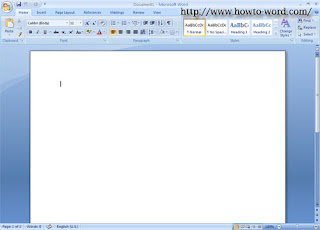
Home contains groups of Clipboard, Font, Paragraph, Styles and Editing.
Click on the picture to enlarge


Insert contains groups of Pages, Tables, Illustrations, Links, Header & Footer, Text, Symbols.
Click on the picture to enlarge


Page Layout contains groups of Themes, Page Setup, Page Background, Paragraph, Arrange.
Click on the picture to enlarge


References contains groups of Table of Contents, Footnotes, Citations & Bibliography, Captions, Index, Table of Authorities. Click on the picture to enlarge


Mailing contains groups of Create, Start Mail Merge, Write & Insert Fields, Preview Results, Finish.
Click on the picture to enlarge


Review contains groups of Proofing, Comments, Tracking, Changes, Compare, Protect.
Click on the picture to enlarge


View contains groups of Document Views, Show/Hide, Zoom, Window, Macros.
Click on the picture to enlarge


Tips: Do you know? You can show or hide the ribbon in Word 2007 too!! see How to show or hide ribbon in word 2007
How to show or hide ribbon in word 2007

Do you like short cut keys? Especially for using with MS Word 2007. If your windows office contains word 2007 version and you love to use pc shortcuts. The tutorial for word 2007 on this page might be useful for you.

How to show or hide ribbon in word 2007?
You can do this by follow these simple steps.

1. Open MS Word 2007


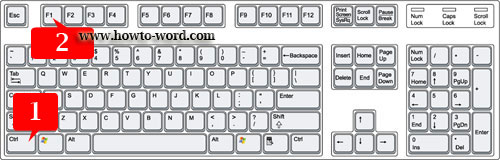
2. To show or hide ribbon press 'Ctrl' + F1 as show in the picture below.


3. Then the ribbon in word 2007 now disappear!!


4. To turn to normal? just press 'Ctrl' + 'F1' on your keyboard again.


Frequently Asked Questions

         
How to remove paragraph symbol in word? Help!! Try fixing it but my vertical ruler still disappear!!  
         
What is the ribbon in Microsoft Word?