Disclaimer

How to word is a free Microsoft word tutorial. Microsoft is the registered trademark of Microsoft Company, which is not affiliated with and does not sponsor or endorse the services of howto-word.com.

Showing posts with label show ruler in word 2007. Show all posts

Help!! Try fixing it but my vertical ruler still disappear!!


Although you have read How to show ruler in Word but you still can't see the vertical ruler anywhere!!That because your vertical ruler is turned off and what you need to do is just turn it on!! Easy, just follow these steps.

1. Open your Word 2007
if you didn't do the step 2 yet, possible that you can't see ruler anywhere..

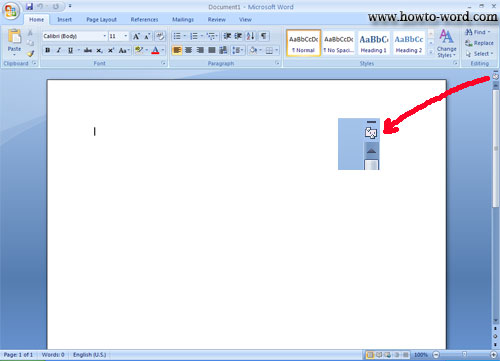
2. Now try clicking on 'View Ruler' at the top of the vertical scroll bar again, just to make sure we are talking the same issue.
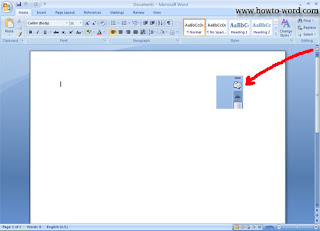
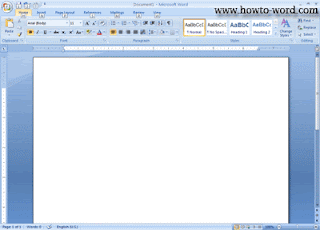
3. Although you clicked on 'View Ruler' in step 2. It is only the horizontal ruler you can see but not for vertical ruler.
If your Word 2007 shows this, now you are on the right issue.


4. Let's fix this by clicking on the Microsoft Office Button, as show below.

Now your Word 2007 should look like this..then click 'Word Options'
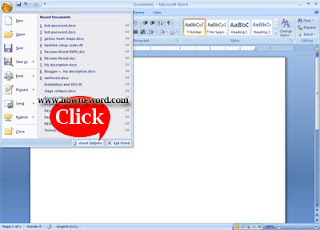
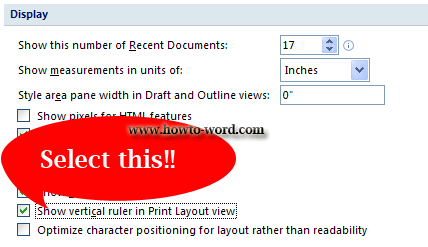
5. Click 'Advanced', then scroll down to find 'Display' topic and select the Show vertical ruler in Print Layout view check box, then click 'OK'.
6. Now finish!!
People who read this also read
How to show ruler in Word
What is the ribbon in Word 2007
How to show or hide ribbon in word 2007
How to move to another tab of the Ribbon
How to show ruler in Word

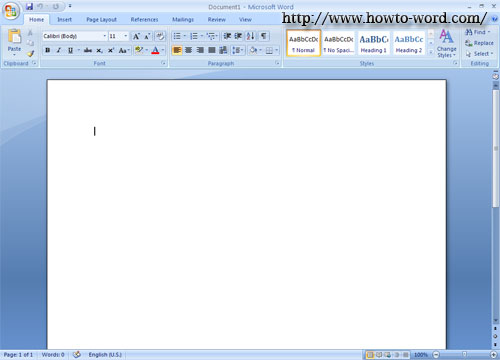
Need to find vertical ruler in word? Not only vertical ruler but this page will also show you the horizontal ruler too!! If you use Word 2007, there are 2 options of how to show ruler in Word.

The first one
1. Open Word 2007 (as you may notice, now we don't have any vertical ruler and horizontal ruler)


2. Click 'View Ruler' at the top of the vertical scroll bar.


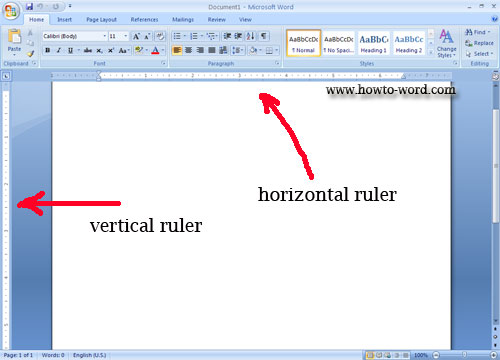
3. Once you clicked, the horizontal ruler and vertical rulers appeared.


4. To hide rulers, just click the same button again. (as in no.1)

Second Option
1. Open Word 2007


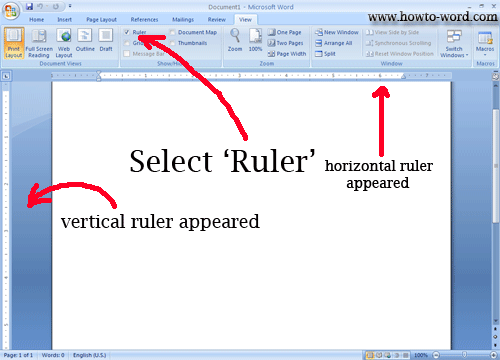
2. Click 'View' tab


3. Select 'Ruler'


4. Now your ruler appeared!!


5. To hide the rulers, click the same button!!


Frequently Asked Questions

         
How to remove paragraph symbol in word? Help!! Try fixing it but my vertical ruler still disappear!!  
         
What is the ribbon in Microsoft Word?